n8n automation: your site does the paperwork.
Forms, payments, CRMs, Telegram, Google Sheets and AI, wired together on self-hosted n8n. Leads stop getting lost, and nobody copies data by hand.
How a lead flows
- TriggerA form, a payment or a schedule
- CheckValidate, dedupe, confirm by SMS
- EnrichAI sorts it, data gets looked up
- SyncCRM, Google Sheets, your CMS
- NotifyTelegram, Slack or email
Why automate.
Data copied by hand is slow, gets lost and breaks at the worst moment.
-
No lost leads
Every submission is stored and delivered, even when nobody is watching the inbox.
-
No copy-paste
Data moves between systems once, correctly, without typos in phone numbers.
-
Works at 3 a.m.
Orders, payments and emails go through on nights, weekends and holidays.
-
Your server, your data
Self-hosted n8n: no per-task fees, and nothing passes through a third party.
What I automate.
-
Leads from your site
Every form lands in your CRM, a Google Sheet and a Telegram chat in the same second.
-
Payments & orders
Payment links, bank callbacks, receipts and confirmation emails, with no person in between.
-
CRM to website
Projects, products or listings from your CRM appear in the site’s CMS by themselves.
-
Bookings & long forms
Multi-step forms with SMS checks and branching, wired straight into your booking system.
-
AI steps
Sort leads, draft replies, summarise messages or pull data out of text, using AI models through their APIs.
-
Reports & alerts
Daily numbers to Slack, stock alerts, weekly exports: anything that should run on a schedule.
Case study
Gift certificates that sell, get paid for and deliver themselves.
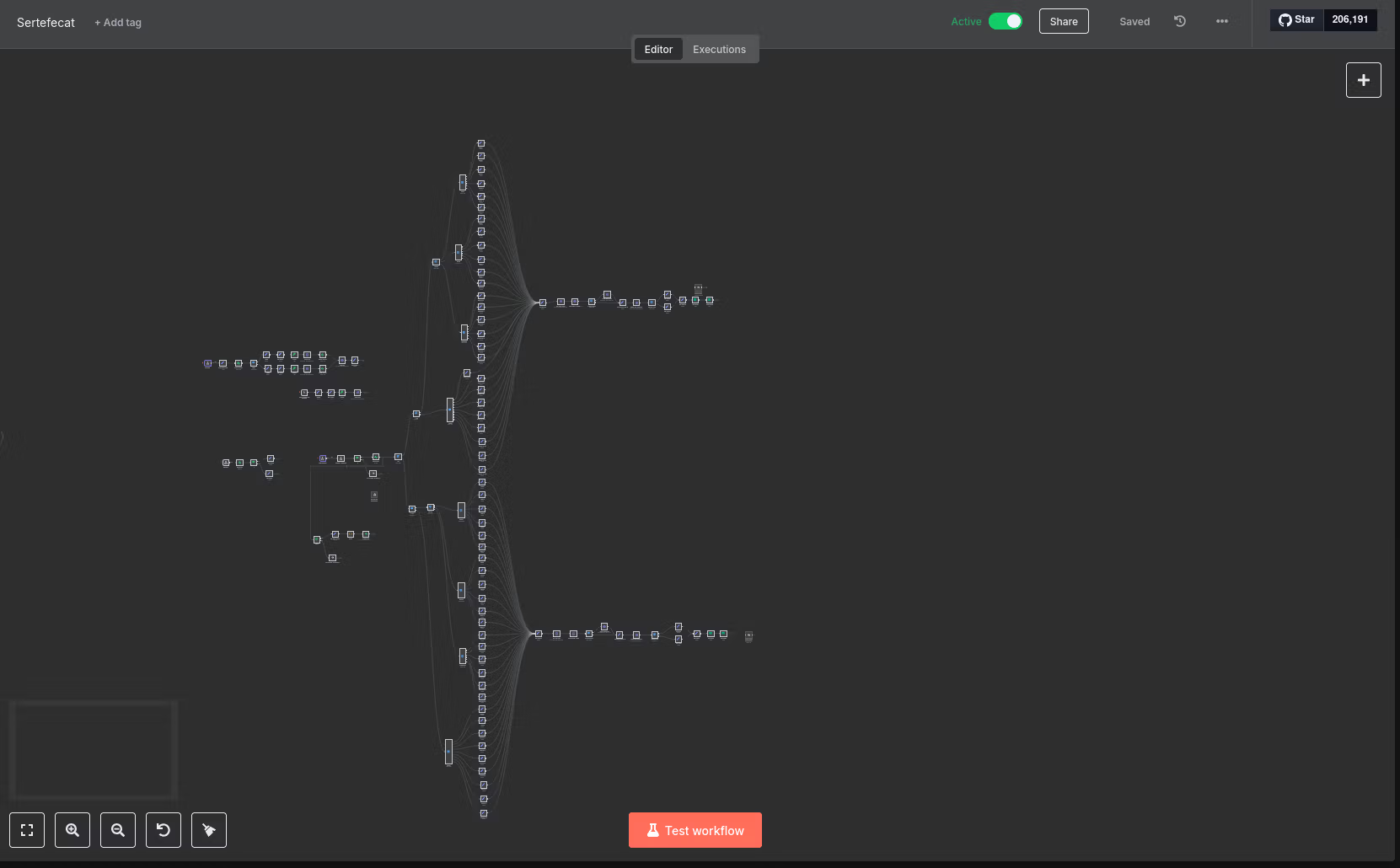
A massage studio with locations in two cities sold gift certificates by phone and by hand. Now the order form on their site does the whole job, from the first click to the certificate in the buyer’s inbox.
- Nodes in the workflow
- 120+
- Products mapped
- 54
- Services connected
- 5
- Manual steps after payment
- 0
-
Order
The buyer picks a certificate on the site: sessions or an amount, the city and who it’s for.
-
Phone check
A four-digit code goes out by SMS. The order waits in the database until it’s confirmed.
-
Payment
A signed payment link is created on the right city’s bank terminal, with the fiscal receipt attached.
-
Confirmation
The bank calls back. Only a confirmed payment moves on; anything else stops quietly.
-
Sale in the CRM
The exact product is picked from 54 variants, the client is found or created, and the sale is recorded.
-
Delivery
The buyer gets an email with a personal certificate link; the studio gets the full order summary.
-
Promo campaigns
During campaigns, raffle tickets are issued automatically, one for every fixed amount spent.
Plugs into what you already use.
If it has an API or sends webhooks, it can join the workflow.
- Telegram
- Slack
- Google Sheets
- Google Docs
- Gmail & SMTP
- CRMs
- YClients
- Supabase
- Airtable
- Payment providers
- SMS gateways
- OpenAI & Claude APIs
- Webflow CMS
- WordPress
- Any REST API
Questions about n8n.
Why n8n and not Zapier or Make?
n8n runs on your own server, so there is no per-task bill that grows with every lead, and your data doesn’t pass through a third party. It also handles branching logic and custom code that simpler tools make awkward.
Where does it run?
On a VPS you own, set up with Docker, HTTPS and backups. n8n Cloud works too if you’d rather not have a server.
What happens when a step fails?
Calls to outside services retry automatically, and a separate error workflow sends an alert the moment a run fails, with what broke and where.
Can you connect my CRM?
If it has an API or webhooks, yes, and most do. I check the API before quoting, so there are no surprises halfway through.
Do I need a new website for this?
No. Forms on Webflow, WordPress, a static site or almost any other site can send their data to n8n.
How much does it cost?
It depends on how many systems and branches are involved. Describe what you want automated and you’ll get a fixed estimate within 24 hours.